Mediation — Rescheduling
You can change the date of a scheduled mediation directly in the ECF portal when the new date is more than 5 days before the currently scheduled mediation and within 75 days of the original case filing date. No phone call or email to WCA is required for standard rescheduling.
Rescheduling rules
| Rule | Description |
|---|---|
| Standard window | You can reschedule to any available date that is more than 5 days before the current mediation and no more than 75 days from the original case filing date. |
| Within 5 days of mediation | Standard rescheduling is not available. Submit a Late Reset Request instead. |
| Beyond 75 days from filing | Standard rescheduling is not available. Submit a Late Reset Request. |
| Zoom link | When you reschedule using the standard process, the same Zoom link and passcode are kept for the new date. |
| Pro se cases | You can reschedule even if the other party is self-represented (pro se). |
How to reschedule a mediation
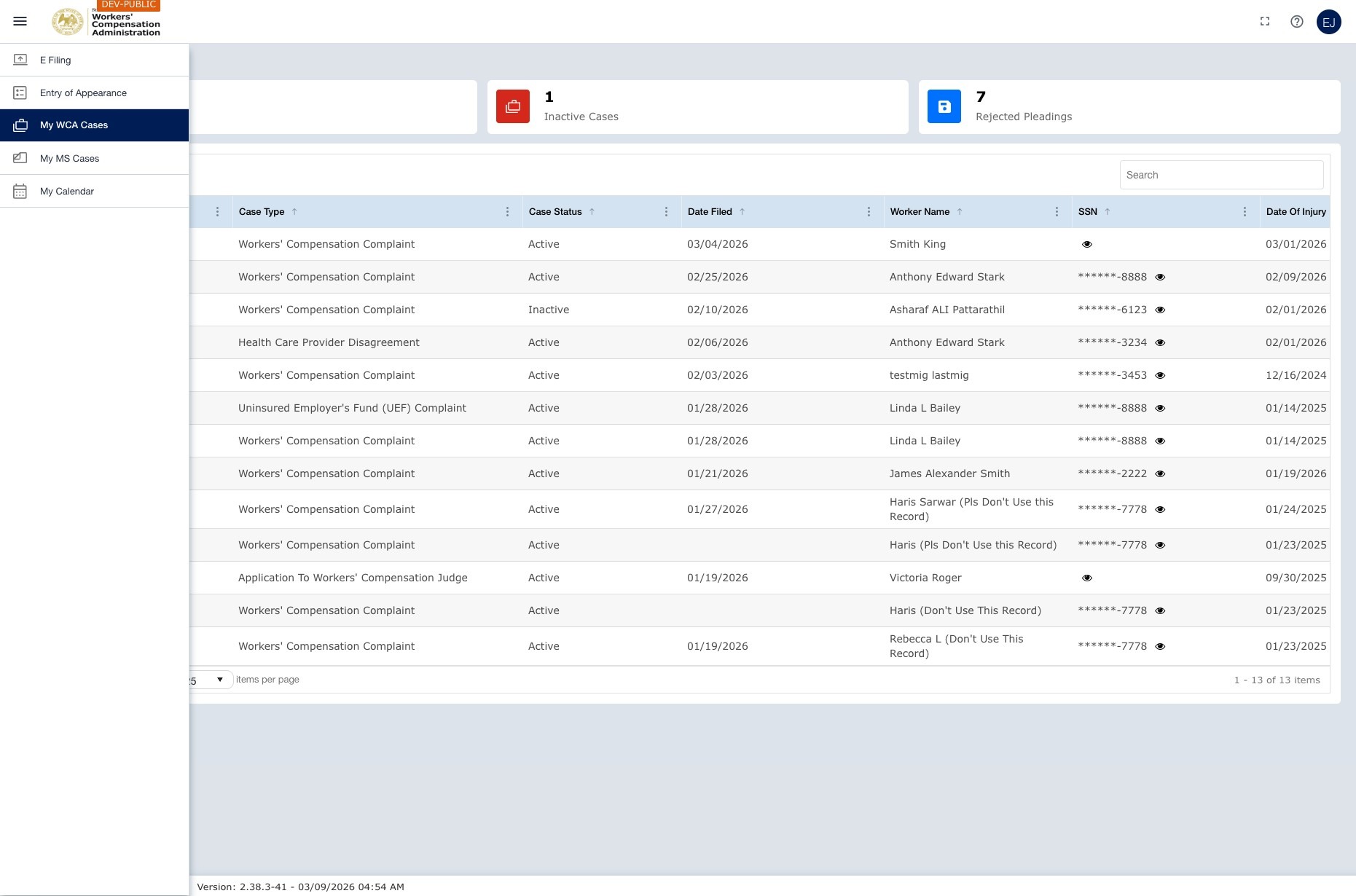
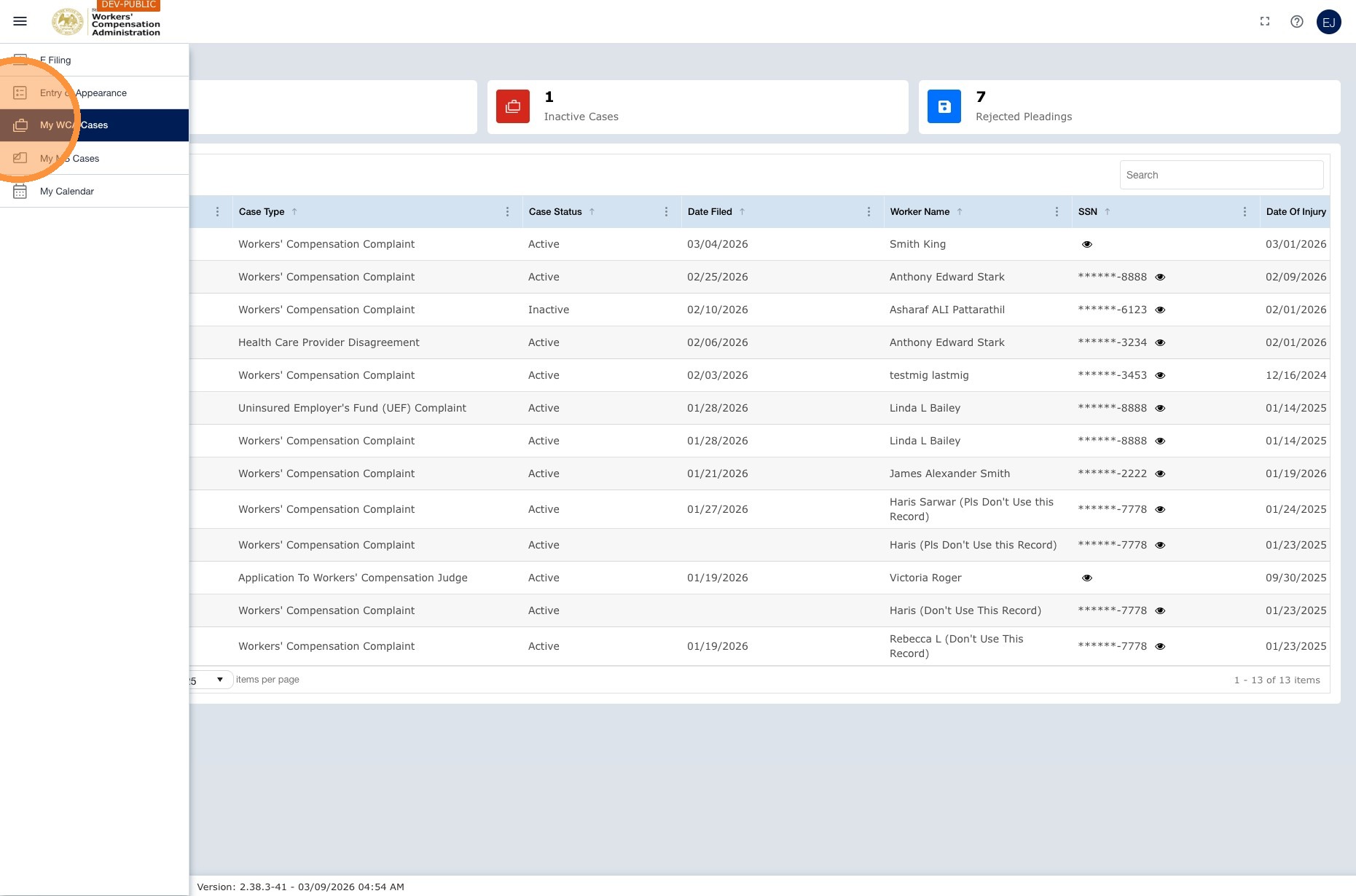
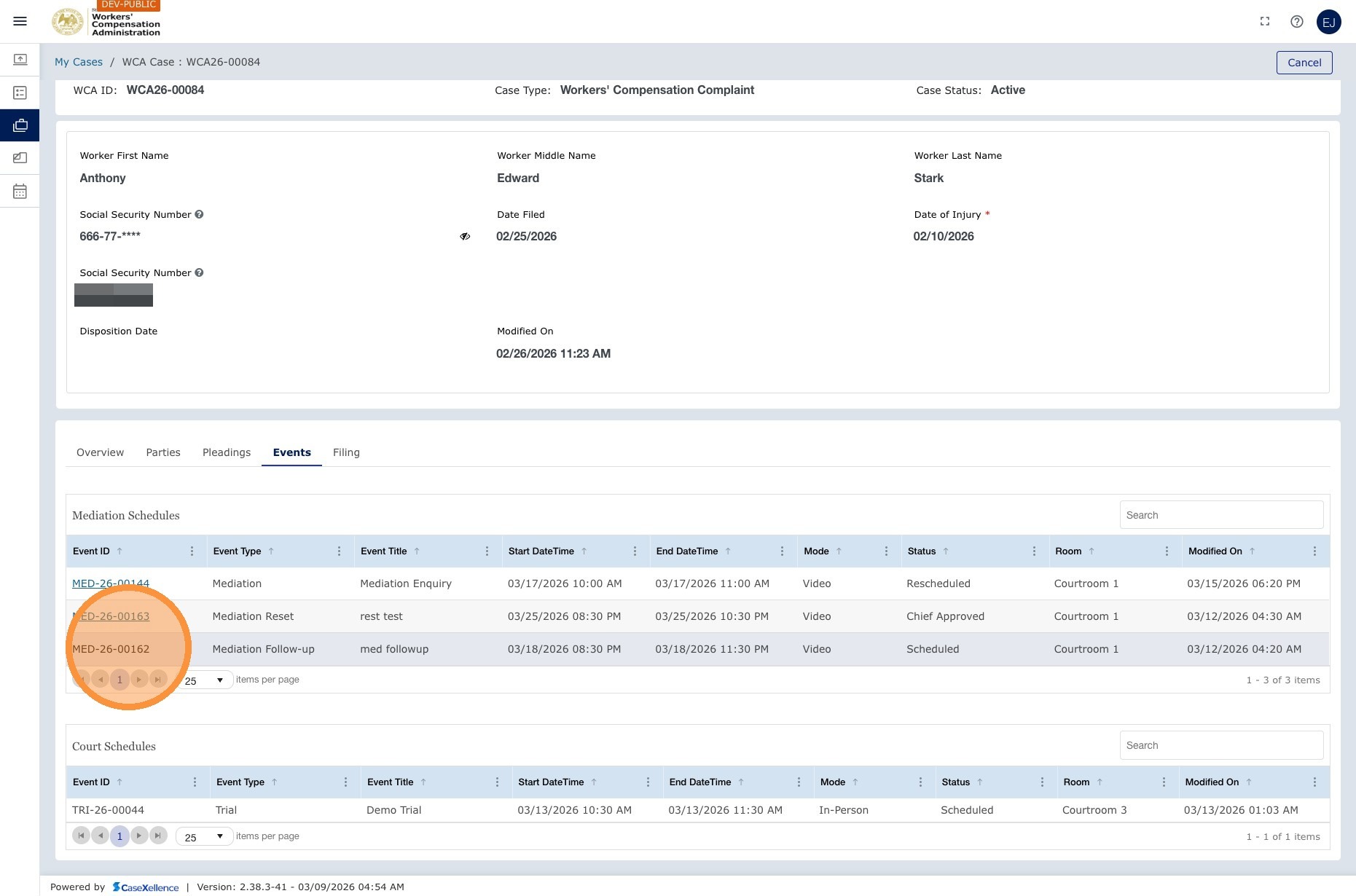
Navigation: Left navigation menu → My WCA Cases → open the case → Events → click the mediation event → select a new date
1. Open the case
- Go to My WCA Cases and open the case for which you want to reschedule the mediation.
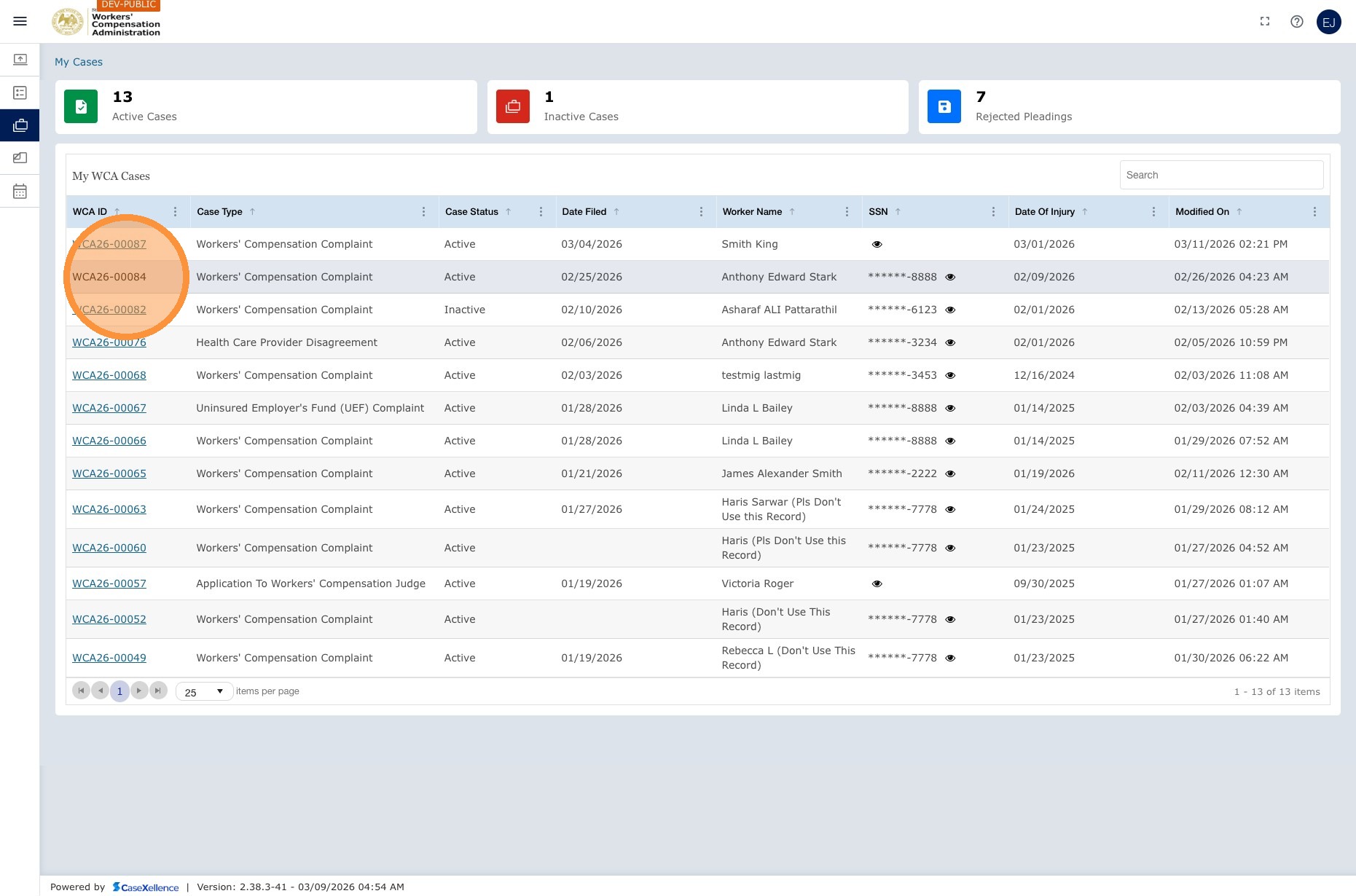
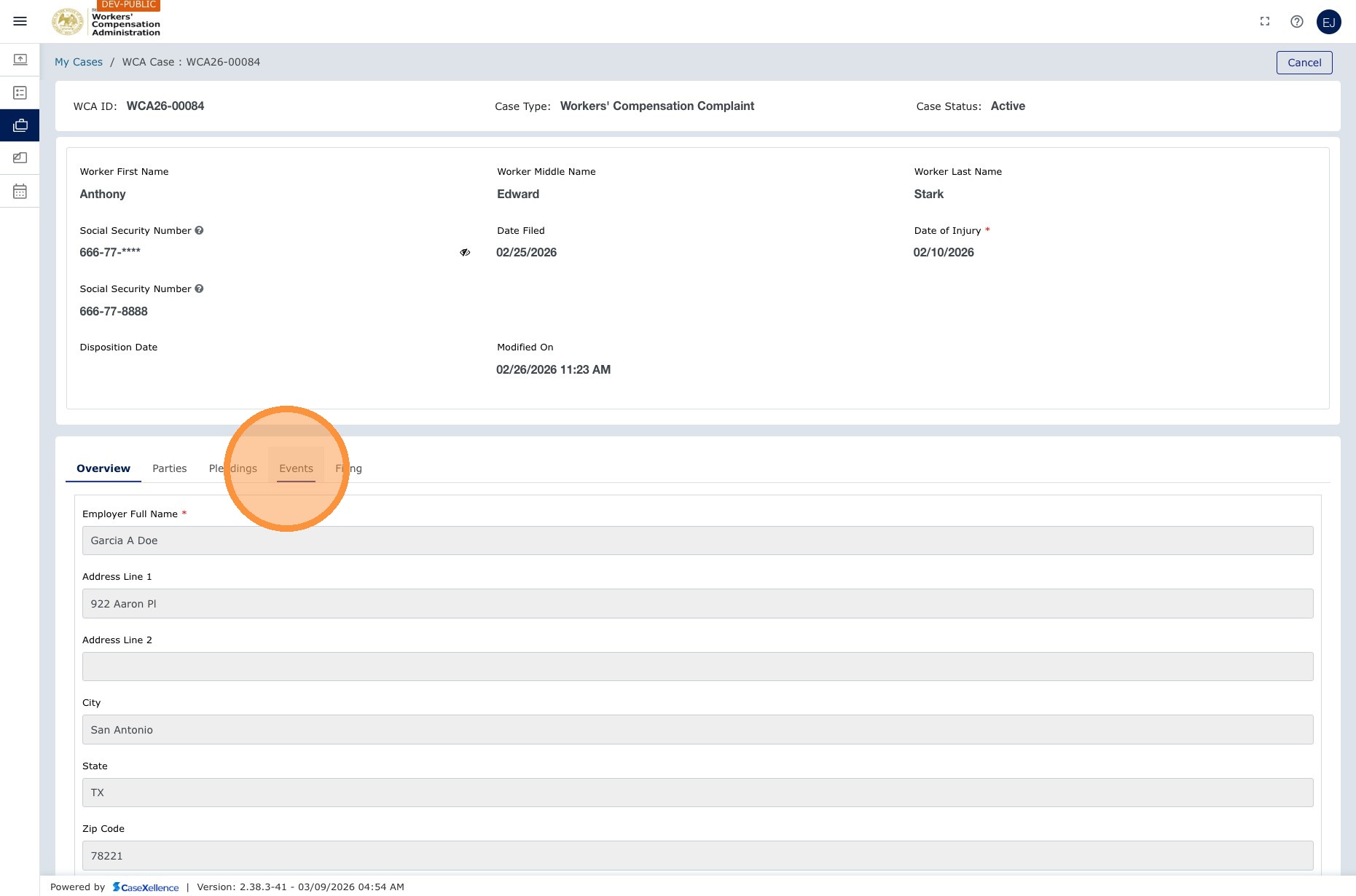
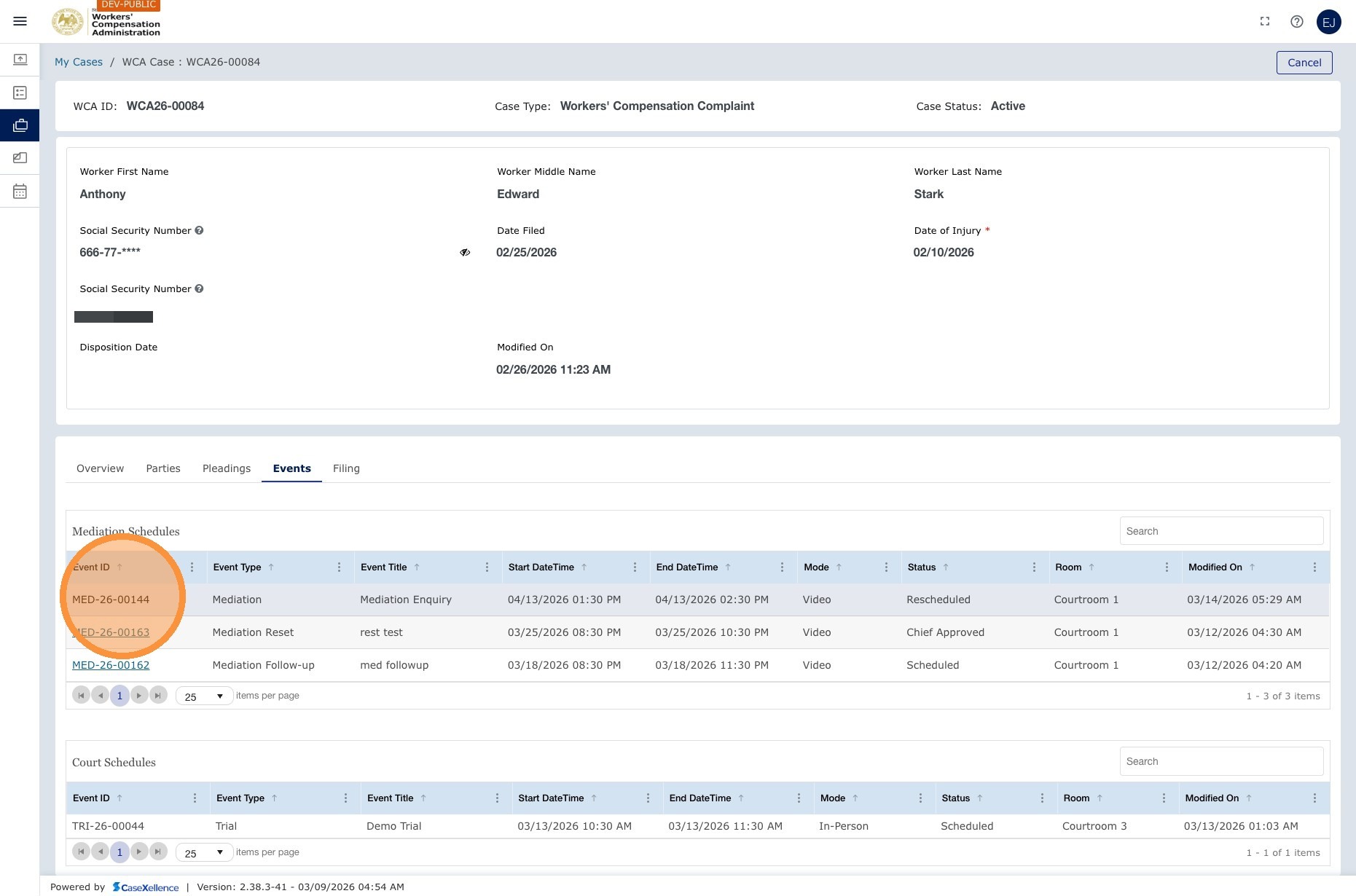
2. Open Events and the mediation event
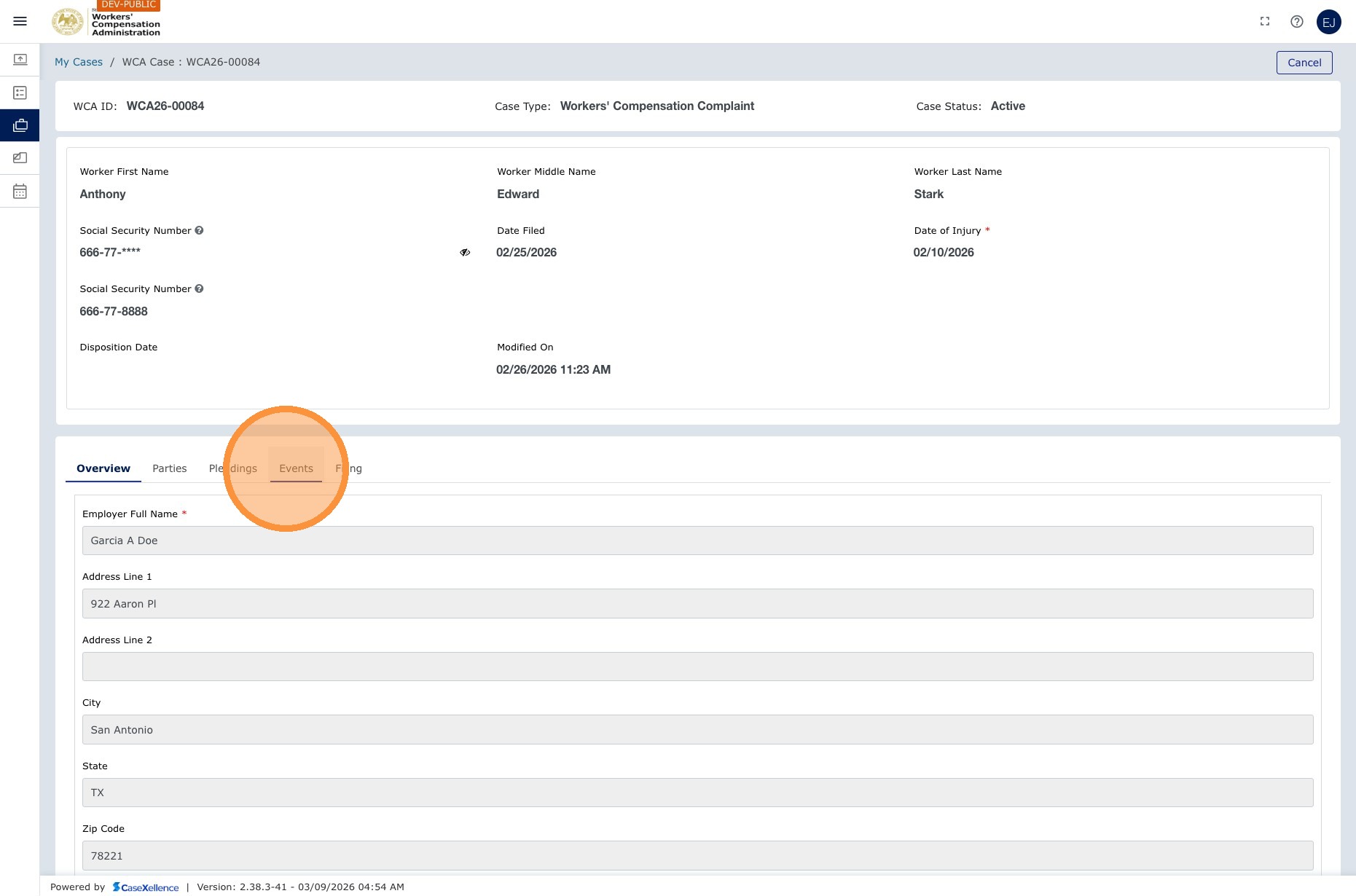
- Click the Events section of the case.
- Find the scheduled mediation event and click it.
3. Choose new date and time
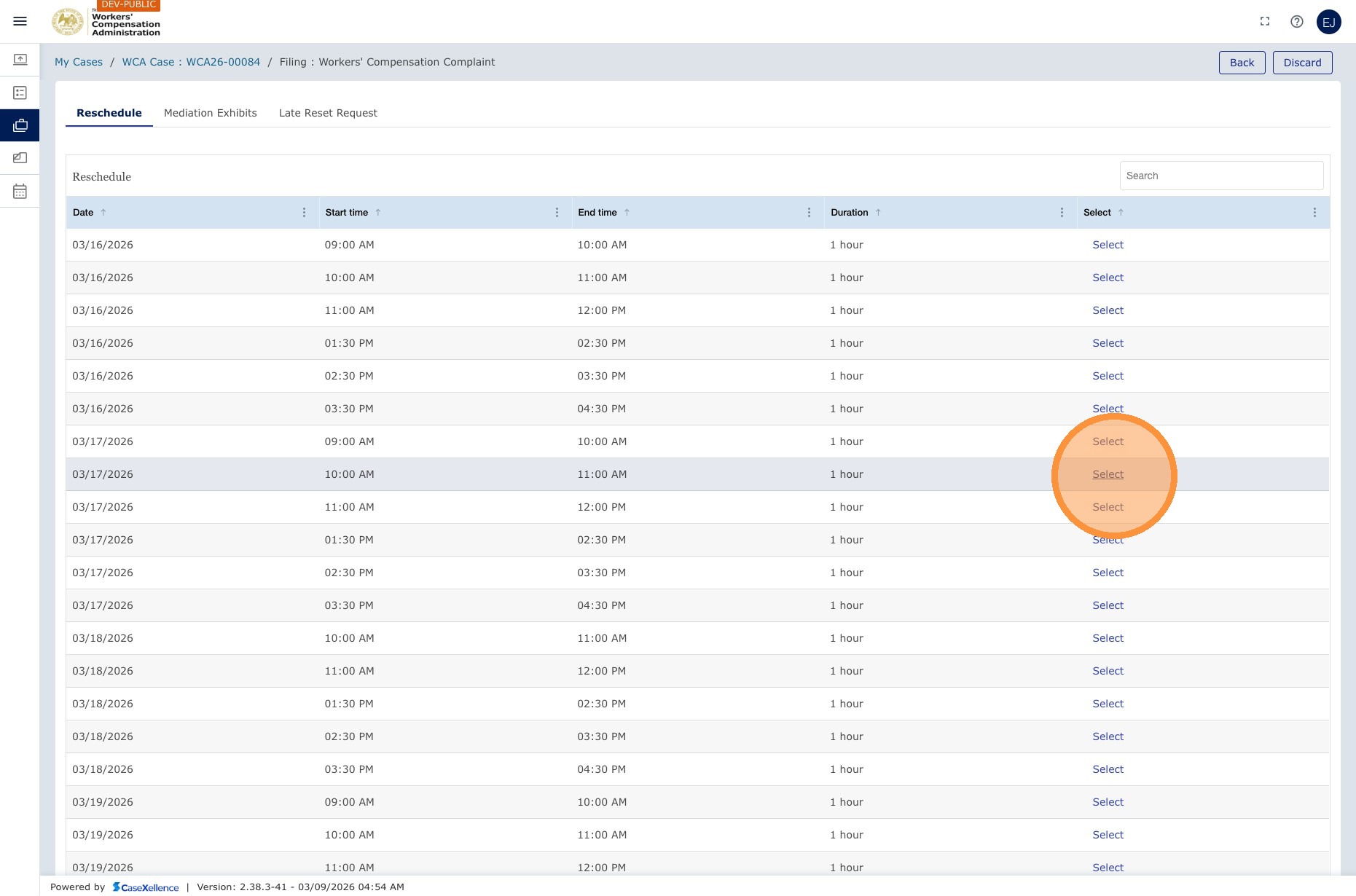
- The system shows a calendar with available time slots in 30-minute increments. On the original mediation event, the current date and time appear under Schedule. Slots within 5 days or beyond 75 days are not shown.
- Select your preferred date and time, such as 9:00–10:30 AM. Weekends are excluded, so the system may show the next business day.
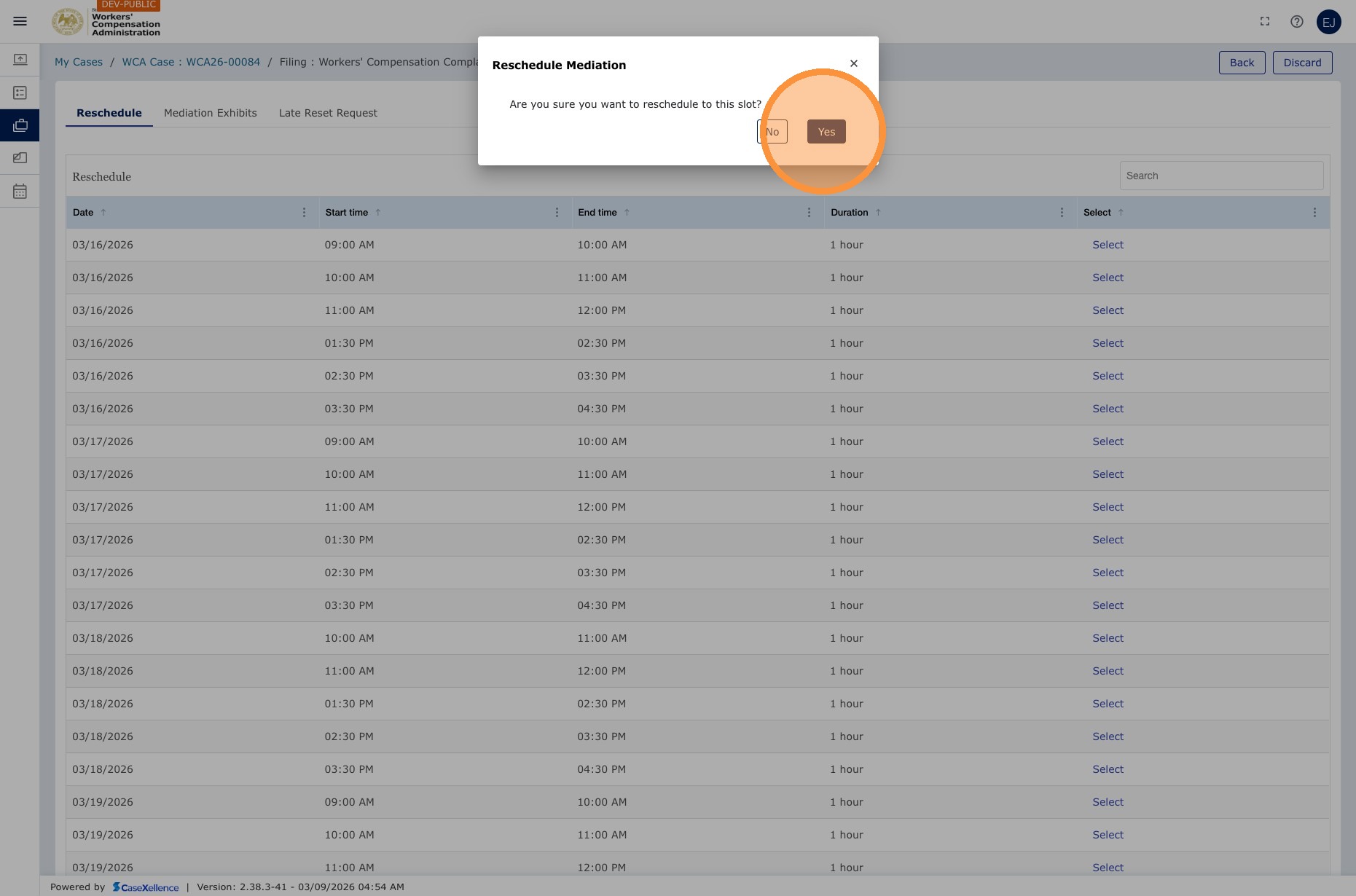
- Click Submit Reschedule to confirm.
What happens after rescheduling
| Stage | Description |
|---|---|
| Notice generated | A revised Notice of Mediation Conference is generated with the updated date, time, and Zoom details. |
| Clerk e-filing | The revised notice is sent to the Clerk's Office for e-filing. Until the clerk completes this, the updated event may not be visible to all parties. |
| Email notification | Once the notice is e-filed, all parties receive an email confirming the new mediation date. |
| Portal updated | The mediation event in your case Events section shows the new date and time. |
Upload mediation exhibits
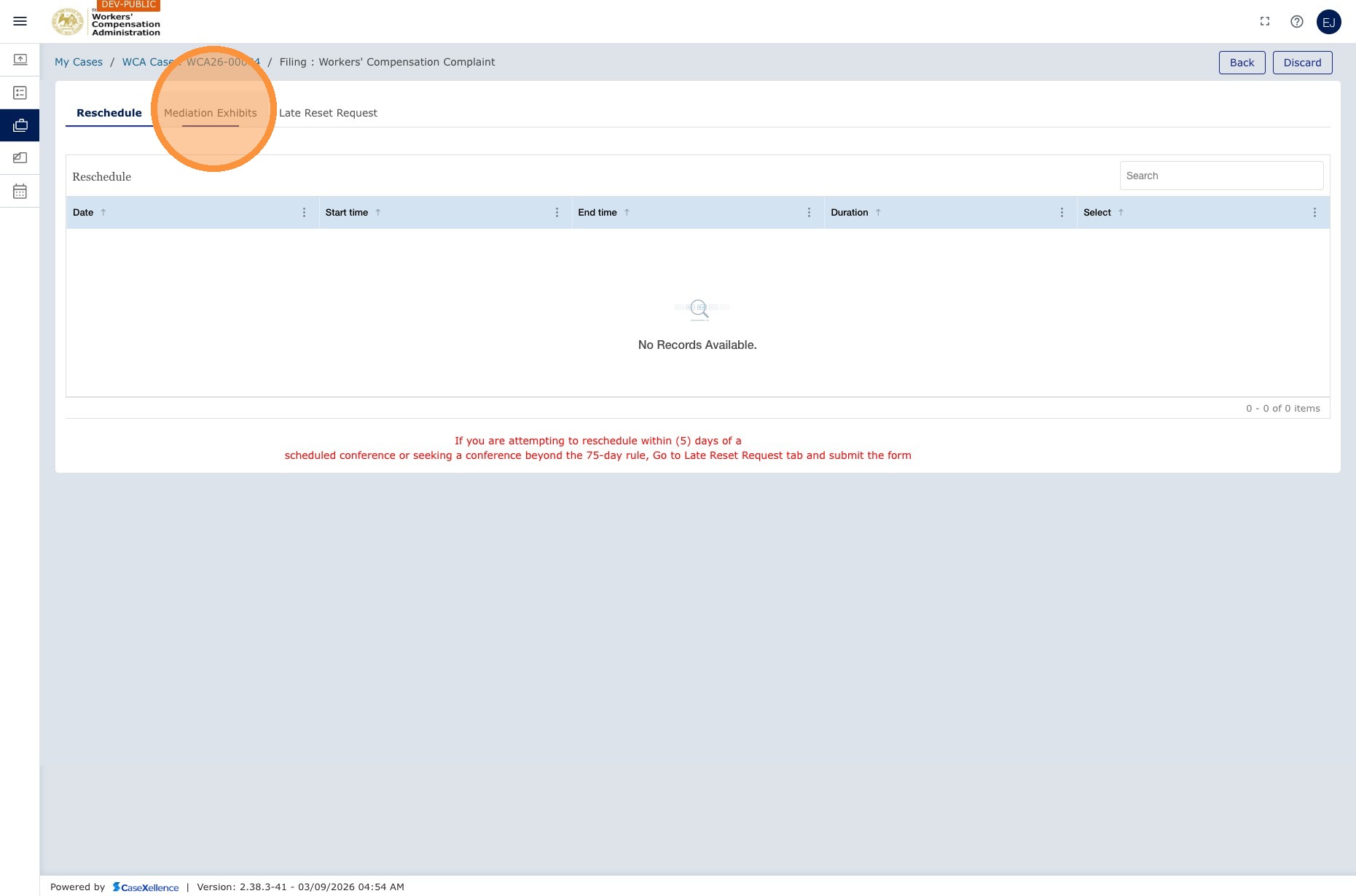
Navigation: My WCA Cases → click the case → Events → click the mediation event → Exhibits section
Mediation exhibits are uploaded within the specific mediation event, not through the general Pleadings section. For more information, see My Calendar when events link you to the case.
- Open the case and go to Events.
- Click the mediation event for which you are uploading exhibits.
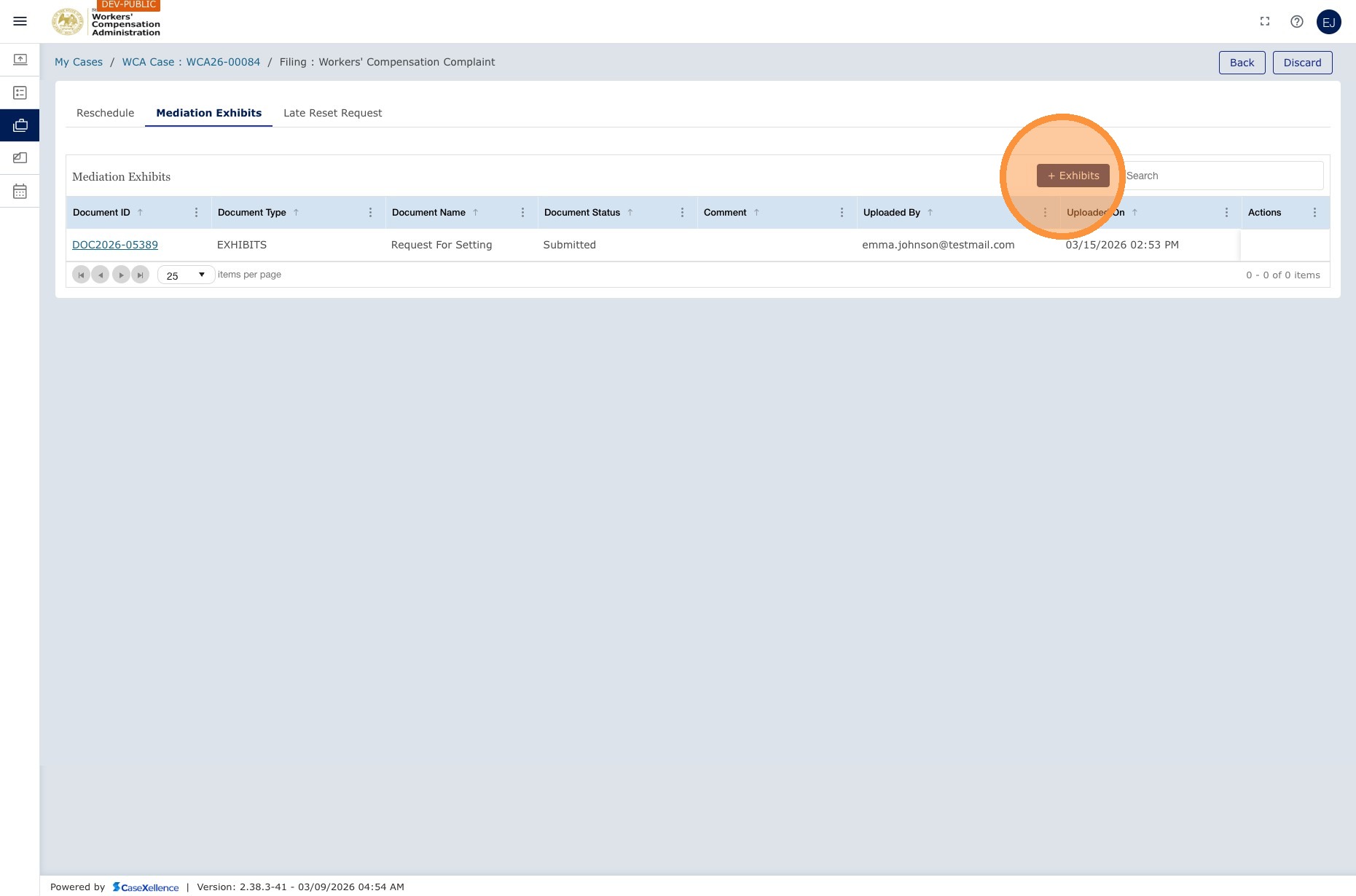
- Find the Exhibits section within the event.
- Click + Exhibit and upload your document. The maximum file size is 10 MB per file.
- Complete the form and click Save. All parties on the case receive an email that exhibits were uploaded.
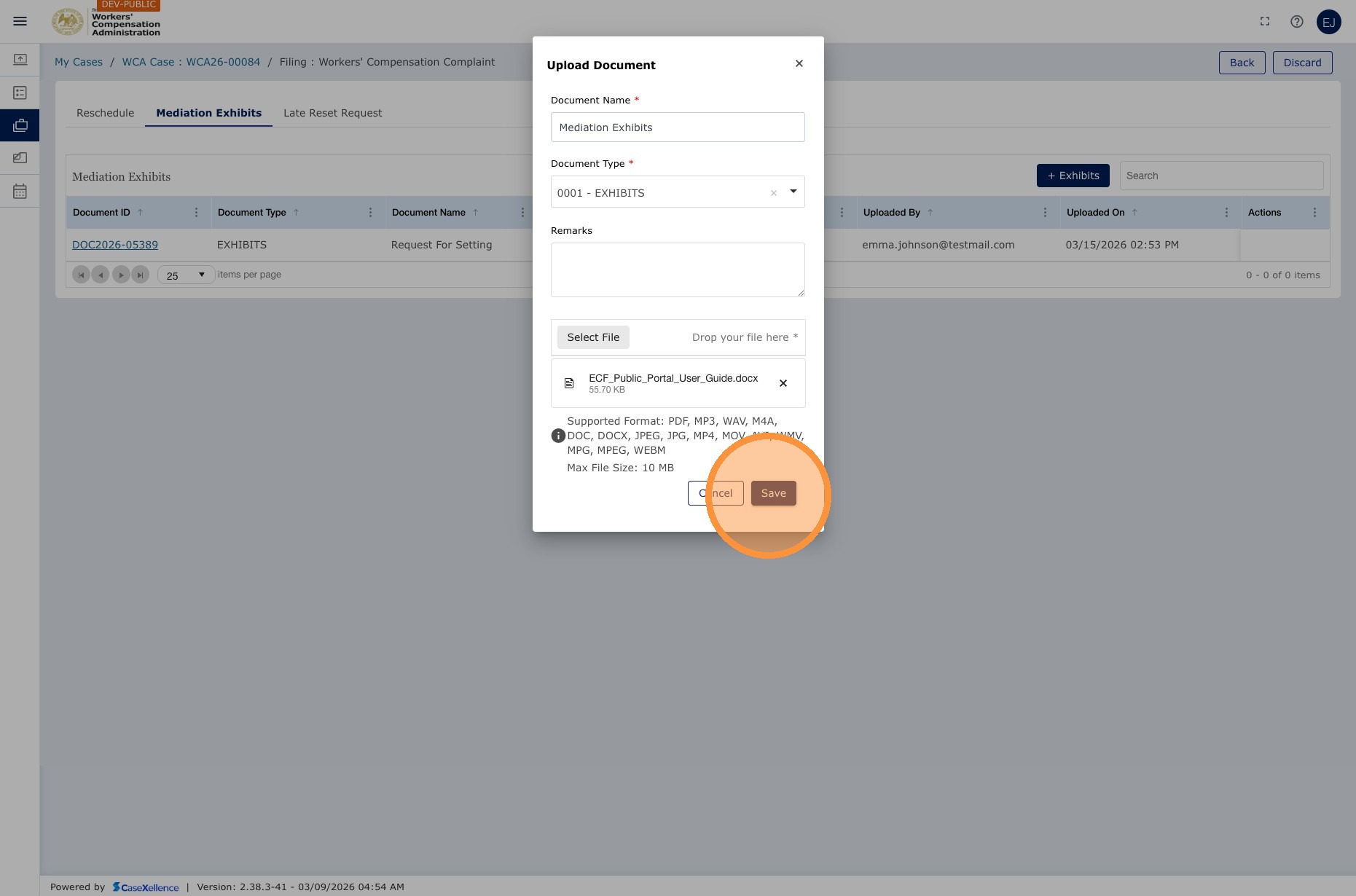
Note: Each exhibit must be under 10 MB. For larger files, compress the PDF or split it into multiple files, such as Exhibit A — Part 1 and Exhibit A — Part 2.
The opposing attorney is notified by email when you upload mediation exhibits. Both parties can see each other's exhibits for that mediation.
See also: Mediation - Late Reset submission · My Calendar · Contact Us
Portions of this user guide were produced with assistance from artificial intelligence tools; all content was reviewed for accuracy before publication.